Groups, Meet Petitions
Want to give the tools a try, but don't want to setup a new collection? Join one of our test groups or start your own. (You'll need to be a group organizer to create a petition, but it only takes a minute.)
Looking for something specific? Skip ahead:
With the local groups toolset, supporters who live in the same area or have similar interests are able to meet and discuss the issues that are most important to them. Now, with our newest release, they're able to run campaigns too.
We think that this feature will allow for deeper engagement and more involved campaigns. For organizations that are already running local groups, petitions will allow these groups to take quick and coordinated action on local issues. Organizations that are not already running local groups may find that creating issue groups for leaders of similar petitions and their supporters may be useful.
Creating a group petition
From the group's main page, org admins and group organizers will now have two options: Add Event and Add Petition.
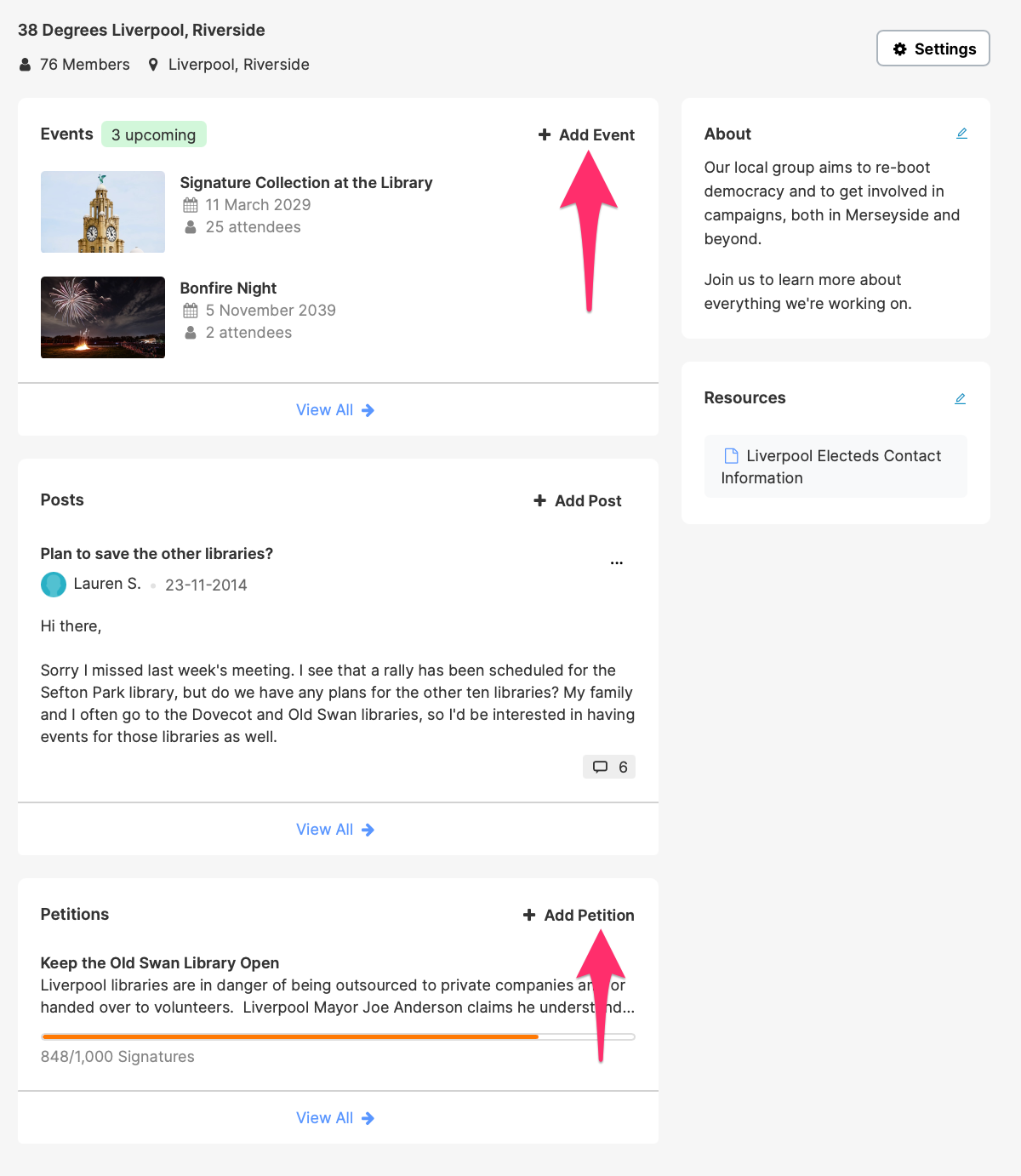
Building Image by Conor Samuel on Unsplash
Firework Image by Mario La Pergola on Unsplash
Upon clicking the Add Petition link, the group organizer will be brought to the petition creation form. Following the normal petition creation process, the petition will be linked to the local group and will be displayed on the group's page.
The petition's signature page will also link back to the local group.

Petition Image by Đăng Nguyễn on Unsplash
If a user clicks the local group's name, they'll either be brought to the group's forum page – if they're already a member – or they'll be brought to the group's public page – if they're not a member. Like group events, these petitions will be visible to prospective group members on the group's public page.

Building Image by Conor Samuel on Unsplash
Firework Image by Mario La Pergola on Unsplash
If a group has more than one active petition, the two most recently updated petitions will be shown on the group page. However, site visitors and group members can click View All to see a a directory of all of the group's petitions.
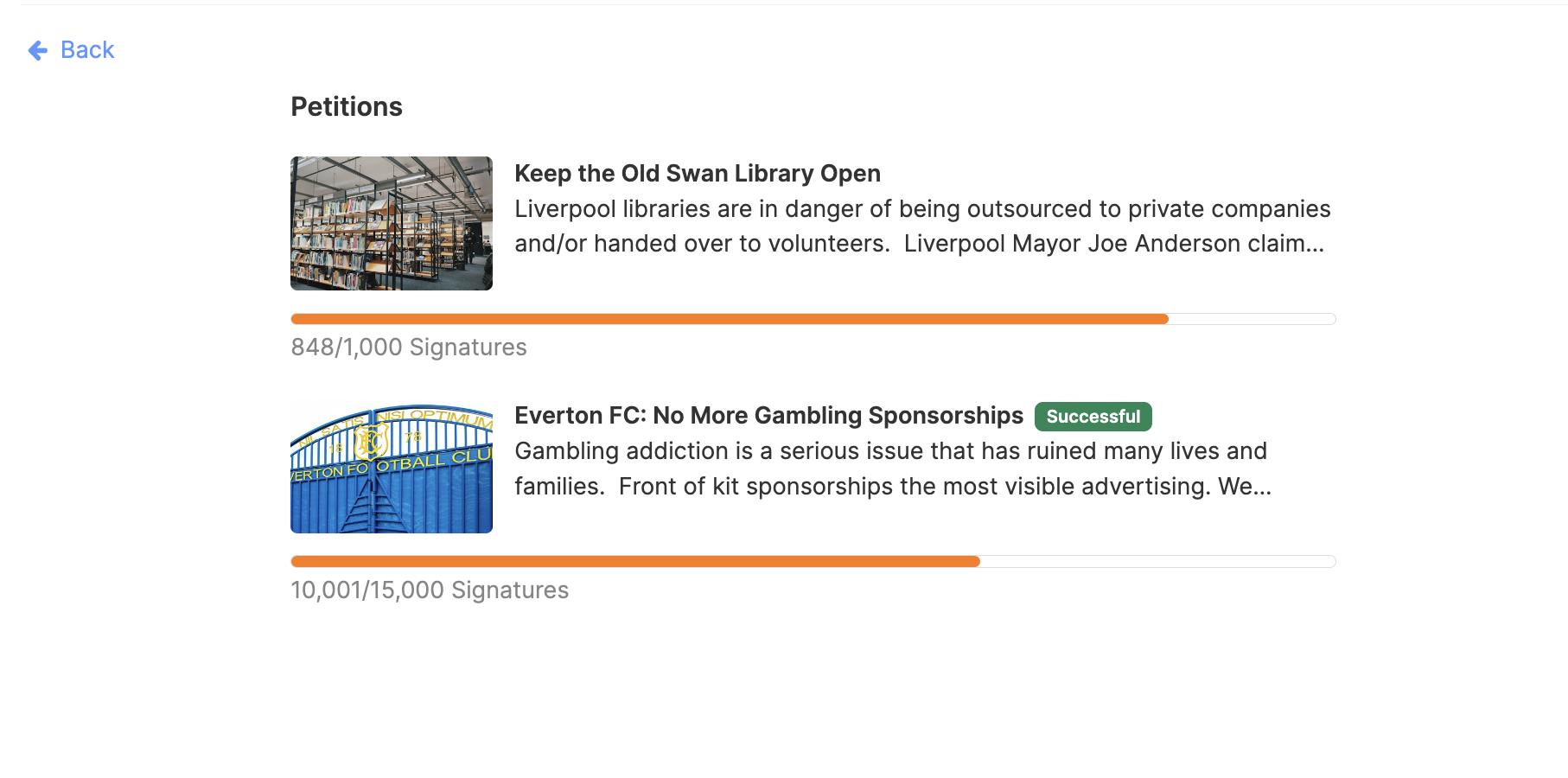
Library Image by Đăng Nguyễn on Unsplash
Goodison Park Image by Zach Rowlandson on Unsplash
The linking of groups and petitions has also led to us creating a new post-signing daisy chain. By default, when a user signs a group petition, they'll be shown the social share popup. Then, if they aren't already a member of the group, they'll be shown a pop up asking them if they want to join.

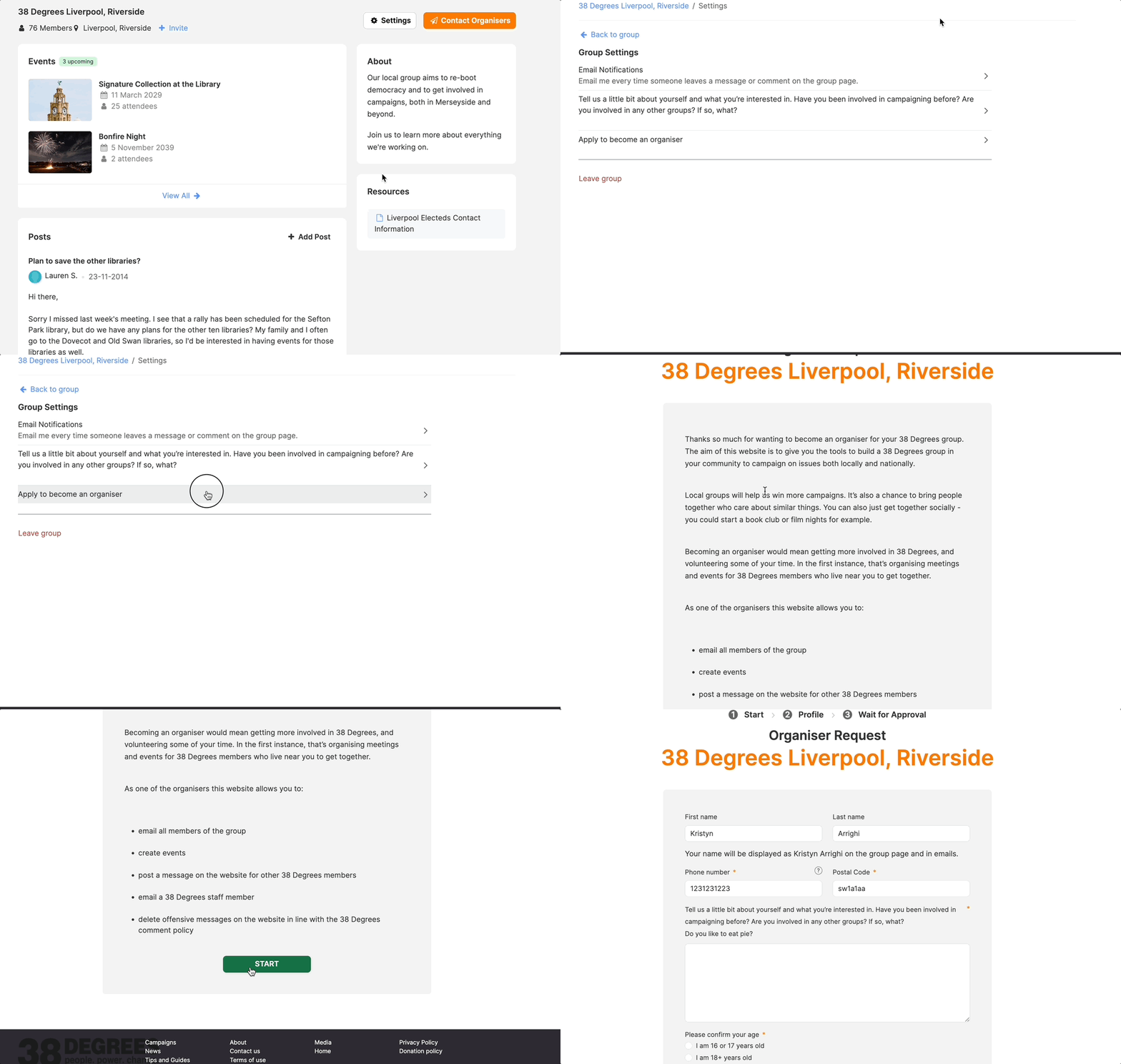
In addition to the permissions given to group organizers, org admins are able to associate petitions with groups and see the full list of group petitions.
If a petition is not already associated with a group, but should be, org admins can associate the petition with the group from the admin page of the petition or group. From the group's admin page, click got to Petitions > Move Petition into Local Group and complete the petition's URL.

The petition can also be associated with the local group from the petition's admin page.From the petition's admin page, stay on the Details tab and scroll to the Associations section. From here, click the + button next to the local group option and complete the group's URL.

Finally, from the group's collection admin page, org admins can view a list of all petitions associated with all groups in the collection. To view this list, go to the admin homepage > Local Groups > All > choose the appropriate collection > Petitions.